
For a while now I have been using two habits, both at work and in my personal digital life, that are simple on paper but have made a real difference. Neither one is clever or technical. The value is entirely in doing them consistently.
Numbered prefixes for naming things (001, 002, 003...)
When I name folders, files, or sheets, I put a number in front. Something like 001 Screenshots, 002 Projects, 003 Notes. It looks trivial, but there is solid reasoning behind it.
Operating systems sort files alphabetically by default, and that is less reliable than we assume. You can end up with an order like 1, 10, 11, 2, 3 because character based sorting puts 1 before 2, and then 10 and 11 slot in right after 1 for the same reason. Padding numbers with leading zeros, so they read as 001, 002, 010, 011, fixes this by giving every number the same length. This is a well tested trick used in photography, video editing, scientific data archiving, and software migration files.
The real payoff for me is that I never have to think when I open a folder. Screenshots sits at the top because that is the one I open most, and the order reflects my own priorities instead of whatever the file system decides. Leaving gaps between numbers (001, 005, 010) also means I can slot in a new category later without renaming everything else.
The best part is that it does not depend on any particular tool. Local disk, Google Drive, Notion, it does not matter, since it is just plain text, it works exactly the same everywhere.
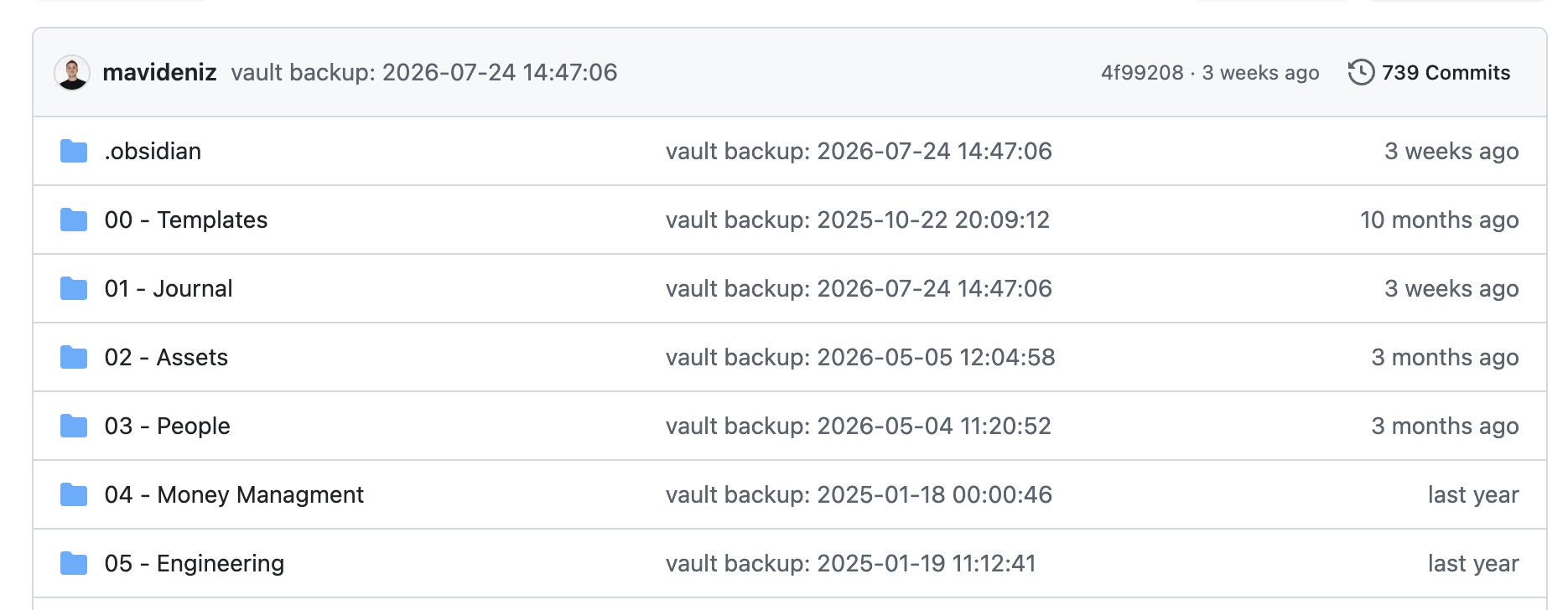
This is my actual Obsidian vault, backed up on GitHub. Templates, Journal, Assets, People, Money Management, Engineering, all numbered from 00 onward, always in the same order, no matter which app or device I open the vault from.
Keeping a daily log in Obsidian, the good and the bad
My second habit is writing down what I did during the day in Obsidian, especially the things that went well and the things that did not. Nothing elaborate, usually a few bullet points. Finished this, got stuck on that, this decision came out of that meeting.
The most immediate benefit shows up in daily standups. Instead of scrambling to remember what I did yesterday, I glance at my note and give a clear, current update.
The bigger payoff comes during annual, half yearly, or quarterly review periods. We tend to trust our memory in those moments, but memory is sharp about the last couple of weeks and fuzzy about everything before that. With an actual log to look back on, I can see both my strong points and where I struggled without editorializing myself into a nicer story than what actually happened.
While looking into this, I found out it is actually a known practice in the software world, called a brag document. Julia Evans wrote a good piece on the idea: instead of trusting your memory to make your work visible, you write it down as it happens. Even a few bullet points a week end up giving you everything you need to speak for your own work when review season comes around.

This is what my vault looks like as a graph. Every dot is a note, every line is a link between them. The daily logs are what tie everything together, since each one links back to the project, the person, or the topic it is about, so a year later I am not just reading a flat list, I am walking through a map of how the work actually connected.
What they have in common
Both habits do the same underlying thing: they take information that would otherwise stay scattered in my head or vanish entirely, and turn it into something ordered and visible with very little effort. One keeps my files easy to navigate, the other lets me tell an accurate story about my own work. Small investments, but they compound.
Sources: